I’ve been a BlackBerry Z10 user for around 6 months now, and only recently got my hands on a BlackBerry Q10. I’m using both phones at the moment, and they’re both great. The Q10 feels nicer in your hand, and I love having a keyboard back. No one does keyboards as well as BlackBerry 10 does – both on-screen and and actual buttons.
I find that I’m using the phones for different tasks. I’m using Skype mostly on my Q10, but for web browsing and videos, I tend to veer to the Z10.
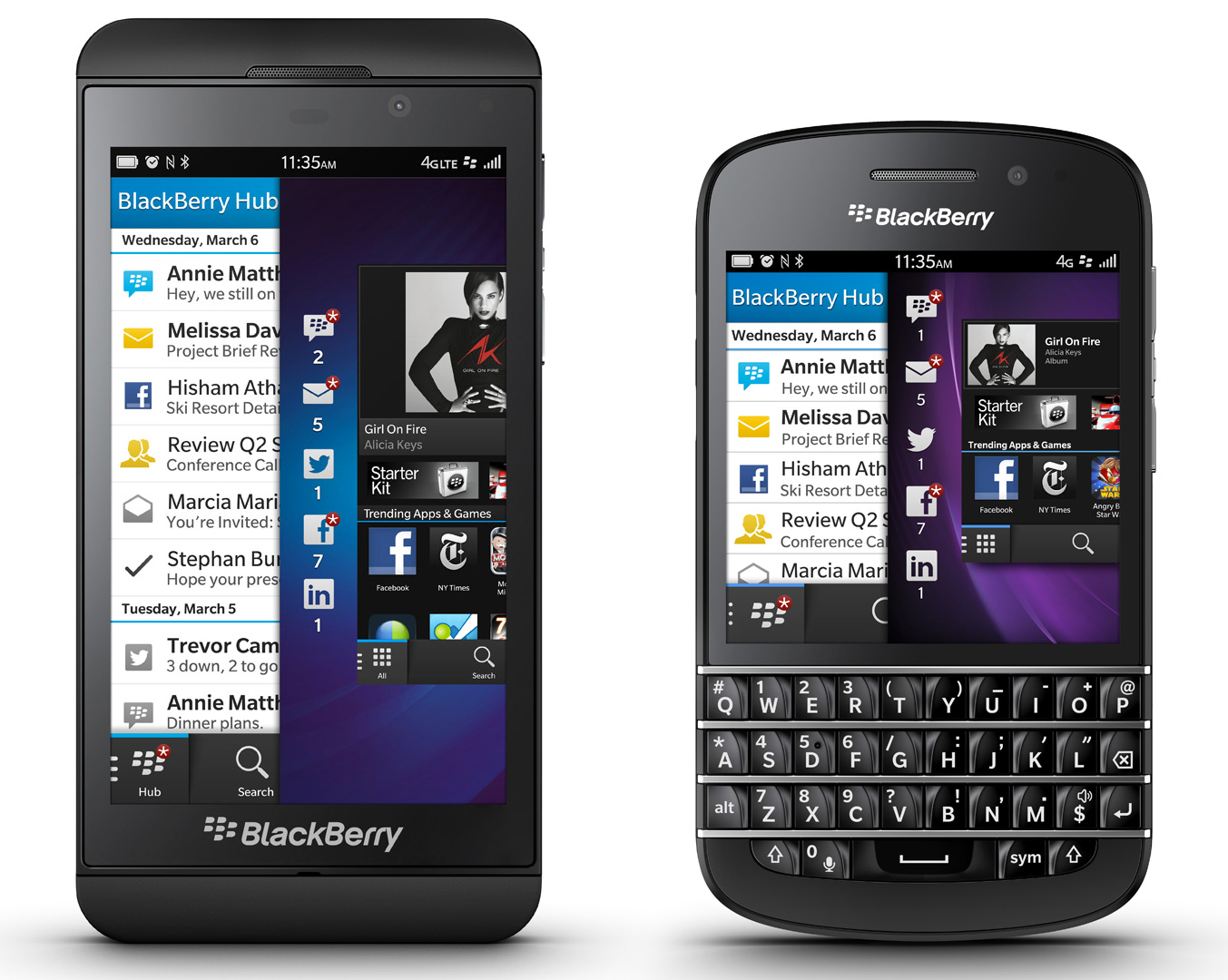
BlackBerry Z10 and Q10
I’ve always been fond of the BlackBerry Bold series. They’ve been reliable and solidly built, and the BlackBeerry Q10 is its natural successor. The biggest improvement over the Bold is the BlackBerry 10 operating system. It is quite clearly the most stable and secure mobile operating system on the market.
BlackBerry 10 is built for those who use their mobile devices primarily for communications. The BlackBerry Hub centralises your e-mail, SMS, Facebook, Twitter, BlackBerry Messenger (BBM), Skype, WhatsApp and other messages, and with the exception of Skype (at this time), you can compose messages for all of those from within the Hub. Once you’ve set it up, no other mobile device will come close to the speed at which you can communicate.
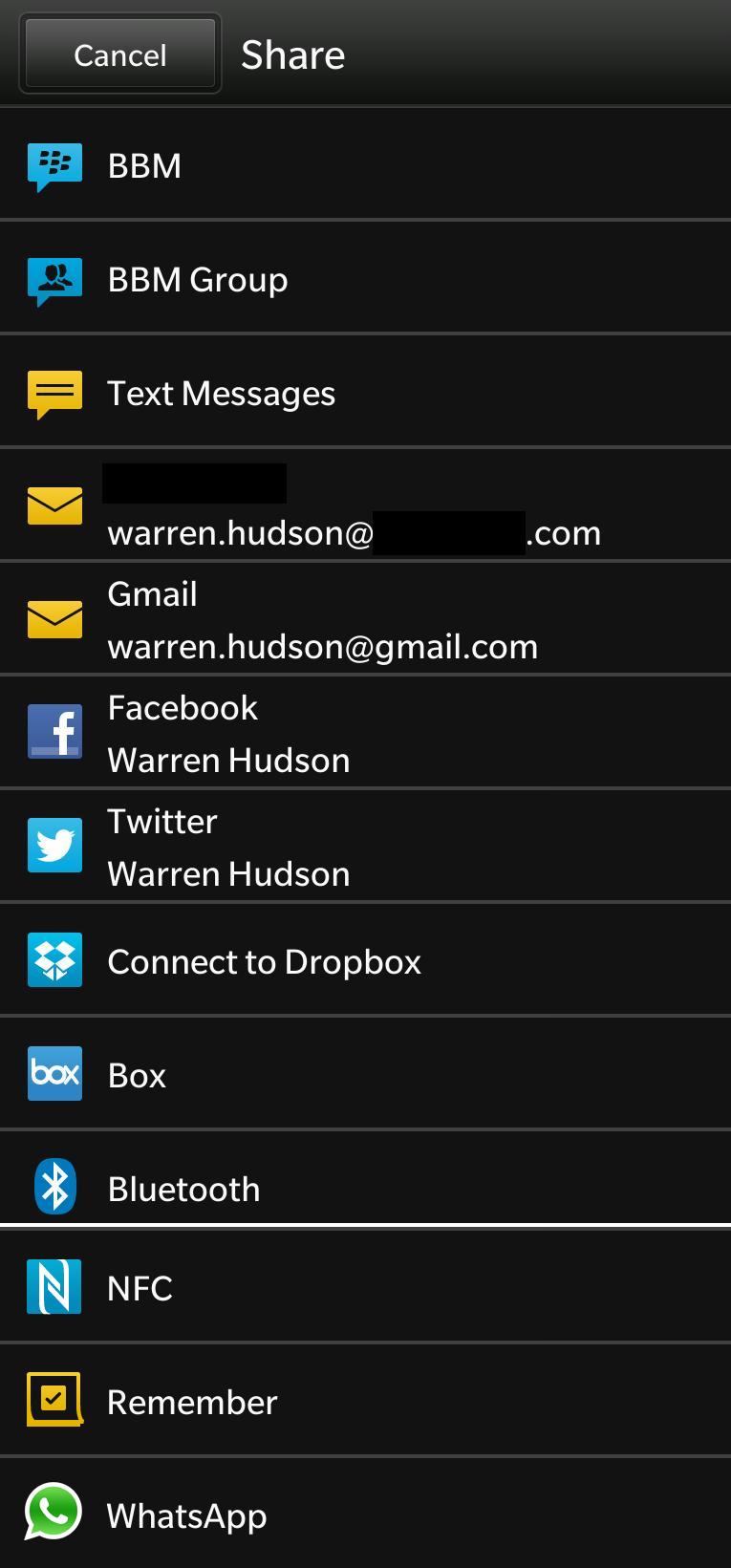
Share to anything
In a previous post, I’ve covered how easy it is to get your files onto a BlackBerry 10 device by USB or through a wireless network connection, but your ability to do as you wish with your files doesn’t end there. BlackBerry 10 includes a ‘File Manager’ app, in which you can move files, such as photos or video – or anything really, to other folders on your phone, a memory card, or directly to your Dropbox or Box account, as if it were local storage.
Your files and media are also easily share-able to virtually anything, including e-mail, social media, cloud storage, instant messaging, Bluetooth and NFC. It’s great to be able to use your media and files how you want to, rather than being constrained by the Apple ecosystem, which limits your options.
Facebook and Twitter
These two apps are just better on BlackBerry 10. While they are very similar in looks and general use to their iOS equivalents, there are some extra perks to using the BlackBerry versions. I don’t get tons of embedded advertisements for games and other Facebook ad-ons, which is nice, but the main difference is stability.

Facebook …Thanks iOS >:
I find that the iOS Facebook app tends to lose its place in the newsfeed if you tap into one of the items. It sometimes tells you that it doesn’t have anything to display, and frustratingly refreshes and sends you back to the top of the newsfeed. Things get particularly dicey if you tap a link to a website. iOS Facebook’s internal browser tends to take down the entire app if it doesn’t like something about the site.
No such problem on BlackBerry 10. I’ve found the stability of the app to be unbeatable, and best of all, any web links open straight into the BlackBerry Internet Browser. Feel free to go back into Facebook and click on as many other links as you like. The BlackBerry browser will just keep opening them as tabs, and you can keep on scrolling through Facebook.
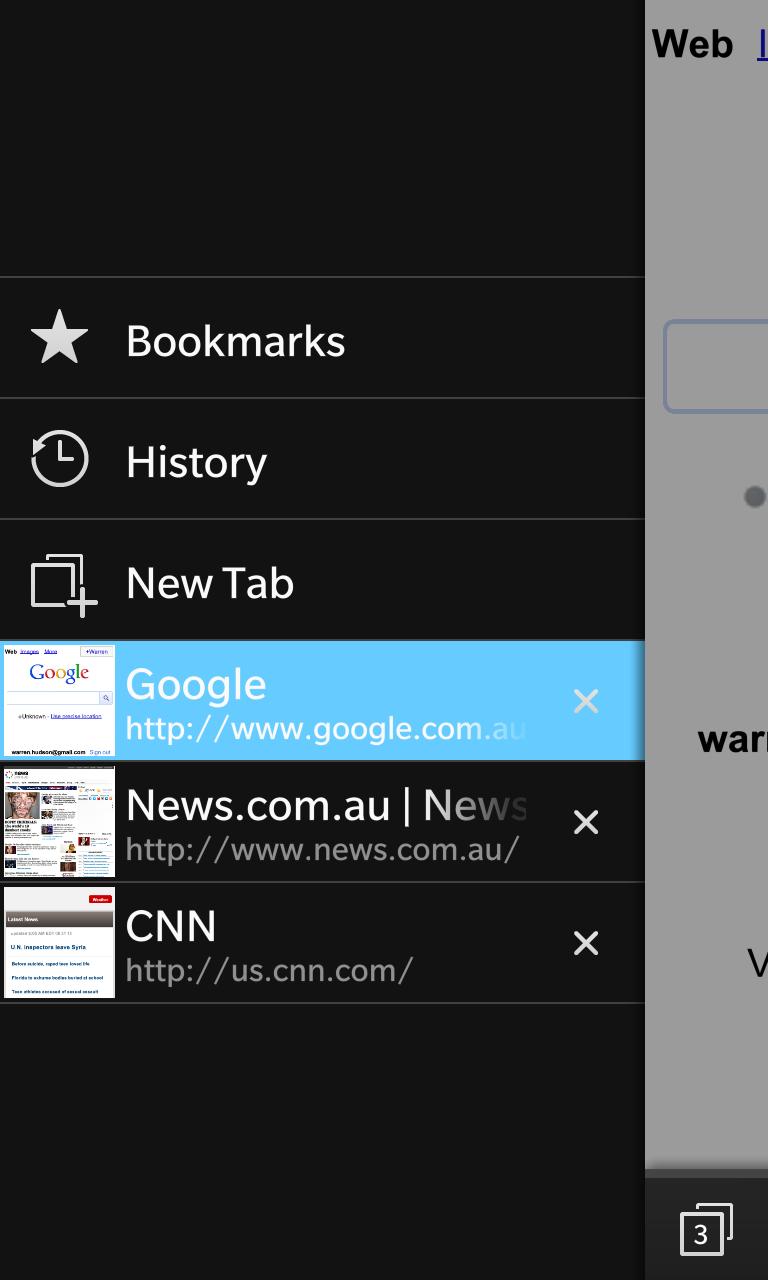
Z10: Internet Browser
Twitter on BlackBerry 10 also opens links up in tabs on the browser, rather than in-app.
Internet Browser
Quite simply, the fastest browser of any mobile operating system. Other sites out there have numerical scores on this for iOS, Android and BlackBerry – which comes out on top.
Not only is it fast, the tabbed browsing feature also works better than iOS. I can flick between tabs without them doing that reload thing each time. I can flick back and forth and not have to wait.
My favourite feature of the browser is that it’s Flash compatible. There are lots of video sites that use Flash, and you just can’t use them on iOS. Android also ditched Flash some time back. Sure, with a lot of screwing around, you can sort of get it to work on Android – but few do, but on BlackBerry, it works out of the box.
Some live events just aren’t covered on Australian TV, but if you know where to look online, you can find a live stream of it – in Flash, of course. Load the website on your BlackBerry 10, and connect it up to your TV through the Micro-HDMI port, and watch it on your normal screen.
Front Page on my Z10
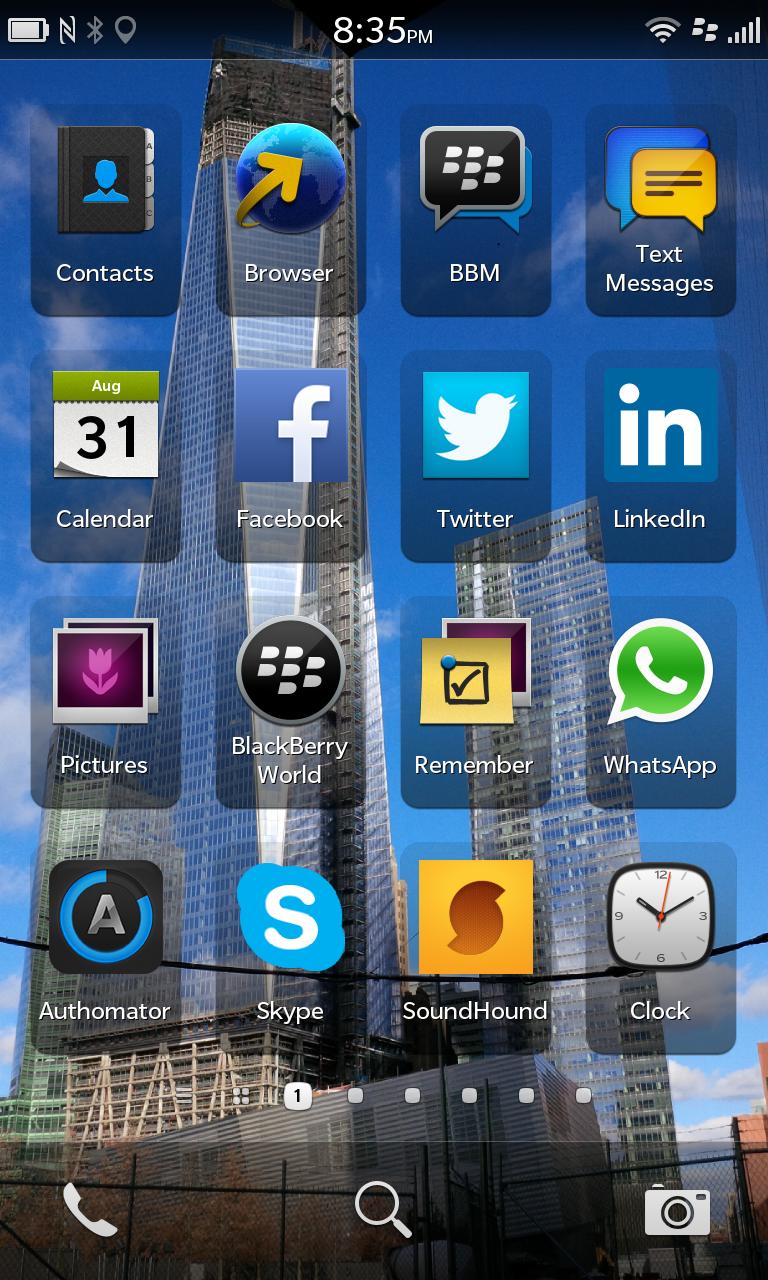
The front page of my Z10 is geared towards communications and social media, and the other most used applications on my BlackBerry. Some honourable mentions:
Authomator: Two-factor authentication code generator. I use this for my Google and WordPress accounts.
SoundHound: Identify that song on the radio or out at bar or club that you’re at. It’s similar to Shazam, except you can also hum, whistle or sing the song to the app, and it will still identify the song. Amazing! And it’s also a much cleaner than the cluttered version on iOS. I always want to get to this app quickly, before the song has finished, so I keep it up front.
Remember: This is the Evernote app for BlackBerry 10.
Clock: I usually set my alarm when I’m already in bed, and I want to get to it quickly in the morning if I decide to sleep in a bit later. It also has a world clock feature.
You can get to the phone, search and camera features from any of the pages on your phone. I used to have phone and camera up front as apps, although as I got used to them being down the bottom anyway, I shifted the specific apps back further.
What I’m looking forward to
- BlackBerry Messenger (BBM) going multi-platform: Very soon, BBM will also be available for your friends on iOS and Android.
- BlackBerry 10.1 Maintenance Release update: Come on Telstra – approve and roll it out already!
- BlackBerry 10.2 update: A little further down the line, and it adds better Android app compatibility.

Title image: ‘Feather Duster’ app, visualising BlackBerry trends on Twitter.
 Warren Hudson
blackberry hub is simply the best tool ever I agree it makes for notifications at a glance
Pingback: BlackBerry 10 beats Apple on stability and file sharing | SKATEMANSWORLD·
Excellent post. I was checking constantly this blog and
I’m impressed! Very helpful info particularly the last part :
) I care for such info a lot. I was seeking this particular info for a long time.
Thank you and best of luck.
Hardware limitations meant the first week in the cell phones is
difficult to deer hunter 2014 cheats see how the console launches.
Disclaimer: The free mobile games is a subscription option or purchase option means a one-time payment for unlimited use.
Howdy very cool website!! Guy .. Excellent .. Wonderful
.. I will bookmark your blog and take the feeds also? I’m happy to seek out a lot of
useful information right here in the post, we want develop more techniques
in this regard, thank you for sharing. . . . . .
Bonne billet. Merci, très apprécié!.
Yesterday, while I was at work, my sister stole my apple ipad and tested to see if it can survive
a thirty foot drop, just so she can be a youtube sensation. My iPad is now destroyed and she has 83 views.
I know this is completely off topic but I had to share it with
someone!
I think this is one of the most vital information for me.
And i’m glad reading your article. But should remark on some general things, The web site style is wonderful, the articles is
really great : D. Good job, cheers
I like the helpful info you supply for your articles. I’ll bookmark your weblog and
check once more right here frequently. I’m moderately sure I’ll learn plenty of
new stuff right here! Good luck for the following!
I don’t know if it’s just me or if everybody else experiencing issues with your blog.
It appears like some of the text on your posts are running off the screen. Can someone
else please provide feedback and let me know if this is happening to them as well?
This could be a issue with my internet browser because I’ve
had this happen previously. Kudos
What’s up mates, pleasant article and fastidious arguments commented at this place,
I am genuinely enjoying by these.
I got this web page from my pal who shared with me about this web
page and at the moment this time I am visiting this web site and reading very informative articles at this time.
It’s very easy to find out any matter on web as compared to
books, as I found this piece of writing at this website.
Everything is very open with a precise description of the challenges.
It was definitely informative. Your site is useful.
Thank you for sharing!
Heya i’m for the first time here. I found this board and I to find It really helpful & it helped me out much.
I’m hoping to give something again and help others such as you
aided me.
I pay a quick visit daily a few web pages and sites
to read content, except this website gives quality based content.
I am no longer positive where you’re getting your info, however
great topic. I needs to spend some time studying
more or understanding more. Thanks for wonderful information I was in search of this information for my mission.